
Close the month, not the chase.
One inbox for every client, review side by side, a close grid, a deadlines calendar and a portal under your name — so the team spends the month on accounting, not on follow-ups.
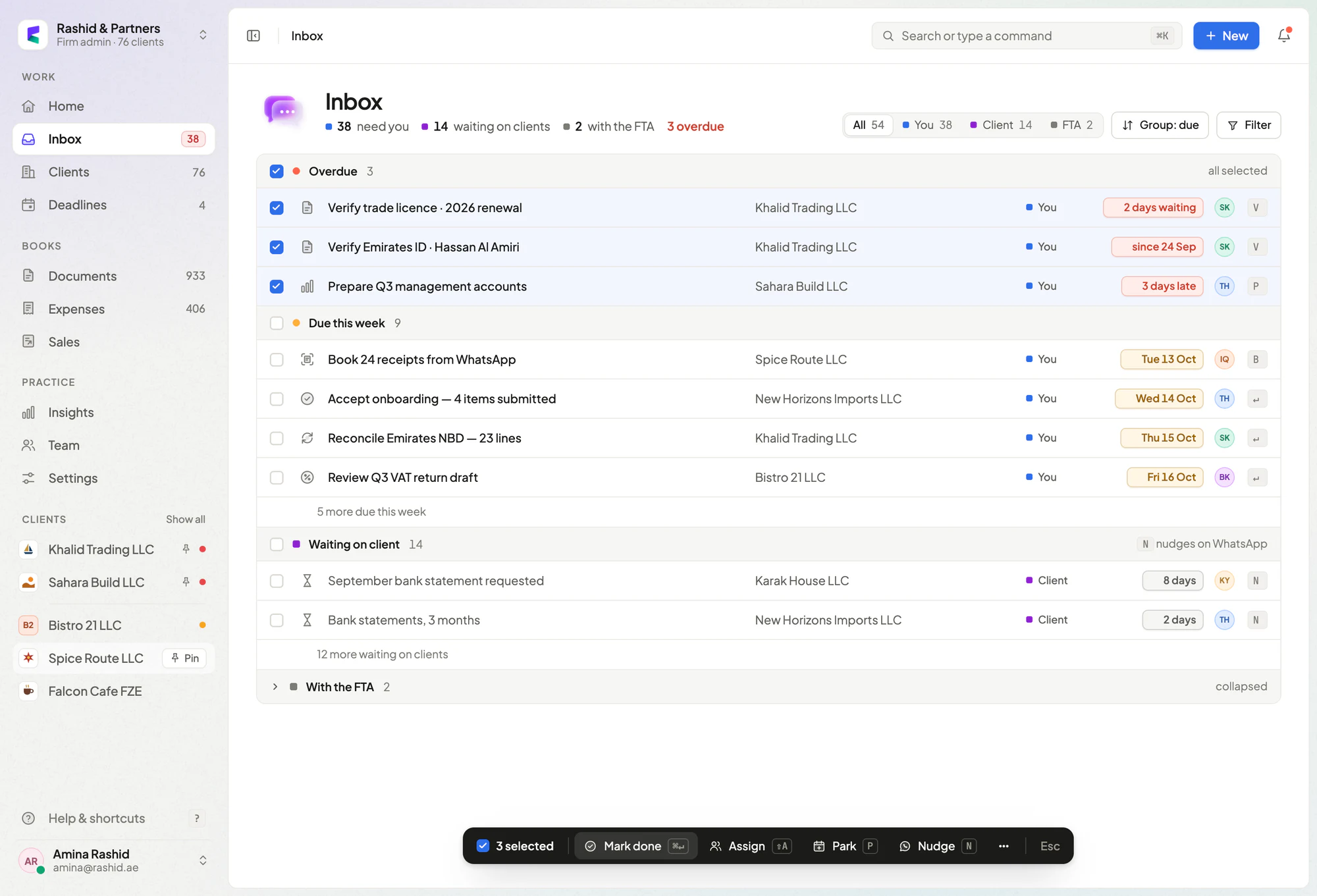
Clients answer requests in one tap, and every item shows whose move it is.
Six steps per client, and one grid showing which books are locked.
Every client, deadline and open question on one screen each morning.
Clients see your name, logo and colours — on the portal and the sign-in page. Your logo is coming soon.
From a document to a locked period.
Five stops every document makes — and where your team’s time actually goes. Tap a stop to jump to it.
The views your month-end runs on.
Every item knows whose move it is.
One queue across every client, grouped by who needs to act. Select a handful and clear them in one go.
- Grouped into overdue, this week, waiting on client and with the FTA
- Bulk actions — mark done, assign, nudge
- Keyboard-first: J and K to move, X to select
The whole close, at a glance.
Six steps per client and the last six months of locks beside them. Lock a period and it stays closed.
- Next step named for every client
- Blocked on the client shown, with how long
- Locked periods stay locked
Every deadline, before it’s urgent.
VAT, Corporate Tax, licences and IDs for every client on one calendar, with the busy days easy to spot.
- Heat by day, so crunch weeks are visible early
- Upcoming list with who’s responsible
- Renewals read from each client’s documents
One page per client.
Close progress, cash, the VAT draft and profit — everything you need before the client call.
- September close step by step
- Cash position over twelve months
- VAT draft with box-by-box workings
See who’s carrying what.
Load by person, a weekly recap and new clients moving through onboarding — so nobody quietly drowns.
- Team load by overdue, this week and later
- Weekly recap of what was cleared
- Onboarding checklist for new clients
A portal with your name on it.
Requests, documents, invoices and reports in plain language, under your firm’s logo and colours. Pick a background — clients see it on the portal and the sign-in page.
Coming soon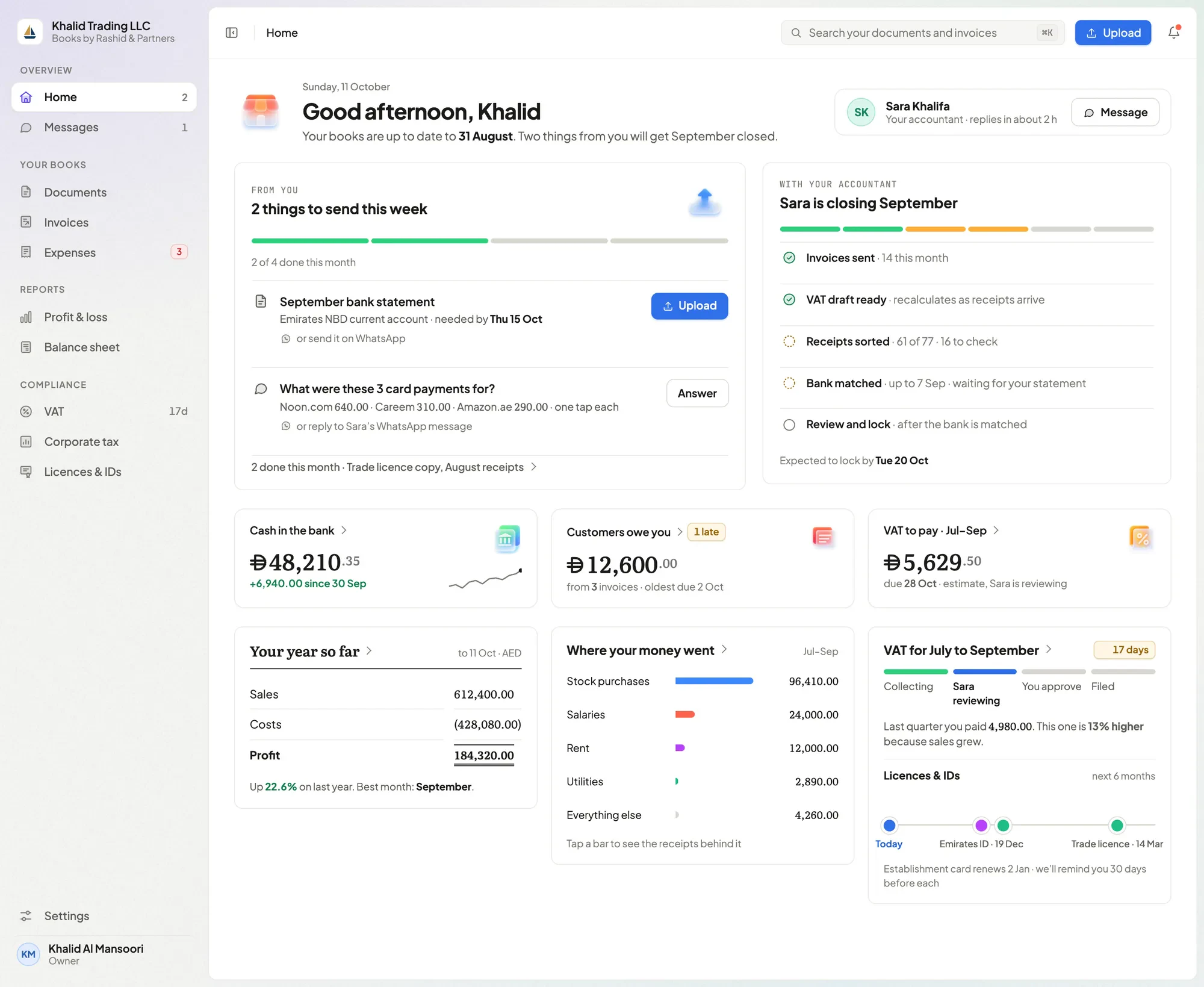

Built for people who live in it.
Every list moves with J and K. Shortcuts never fire while you type. Press ? for the rest.
Everything a practice needs. Nothing it doesn’t.
 Double-entry ledgerJournals, chart of accounts and statements — balanced on every post.Available now
 Bank reconciliationStatements imported and matched line by line.Available now
 VAT returnsComputed from posted journals, with working papers.Available now
 Corporate TaxRegistration support and ledger-based returns.Available now
 Invoices & credit notesVAT-aware invoices, frozen as issued, with credit notes.Available now
 Overdue remindersClients’ customers reminded when invoices slip.Available now
 Documents & expiriesFiled by type, with licence and ID expiry dates.Available now
 Client portalRequests, documents and reports in plain language.Available now
 Roles that fit a practiceAdmin, accountant, reviewer, bookkeeper — each sees what the role allows.Available now
 Assigned clients onlyAccountants work the clients assigned to them.Available now
 Activity historyA day-by-day record of what changed and who changed it.Coming soon
 Onboarding checklistNew clients tracked step by step.Coming soon
 Team loadWho’s carrying what, and what’s overdue.Coming soon
 Deadlines calendarEvery client’s dates on one calendar.Coming soon
 Close gridSix steps per client, locks beside them.Coming soon
 Search operatorsclient:, amount:, due: and status: in ⌘K.Coming soon
Built by a firm that uses it every day.
PocketLedger’s own accounting team runs client books on this platform — the inbox, the close and the portal are shaped by real month-ends, not a whiteboard.
About PocketLedgerSee it on a real month-end.
Priced per firm. We confirm it in writing after a demo. A walkthrough of the inbox, close grid and client portal, with time for your questions about moving clients across.