
Platform tour · for firms
Every client, every month, one place.
The screens your team will live in. Screens marked “Coming soon” ship with the new platform release.
The tour
Eight views your month runs on.
Each one built around the same question: whose move is it?
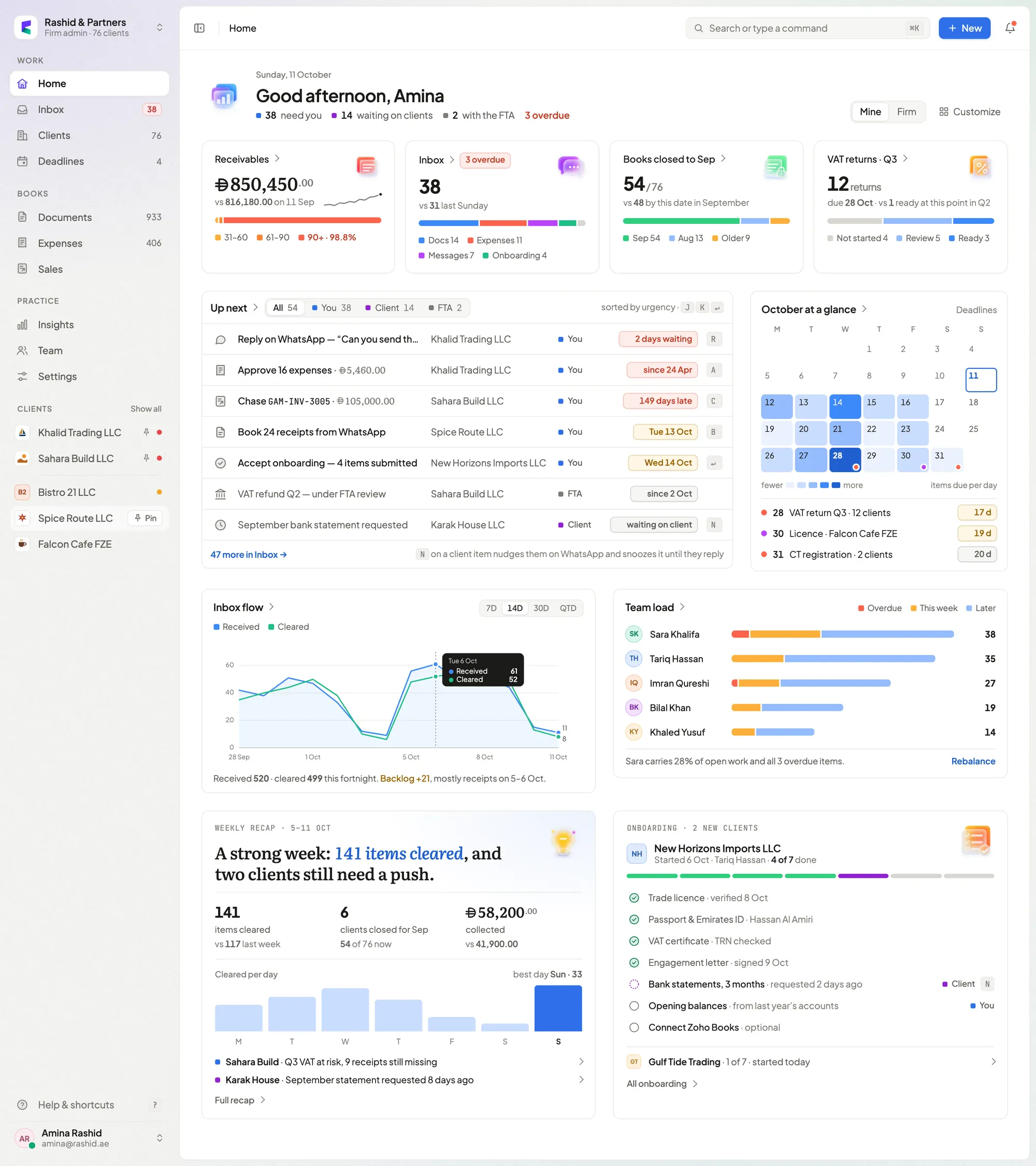
Home
Coming soonWhat needs you, on one screen.
- Whose move — yours, the client’s, the FTA’s, and what’s overdue.
- Receivables, books closed, VAT due across every client.
- Team load and a weekly recap, with onboarding progress.
G HHome⌘KSearch
Inbox
Available now · grouping coming soonOne queue, grouped by whose move.
- Overdue, this week, waiting on client, with the FTA — in that order.
- Select and act in bulk without the mouse.
- N nudges the client and snoozes until they reply.
J KMoveXSelect⌘↵DoneNNudge
Review
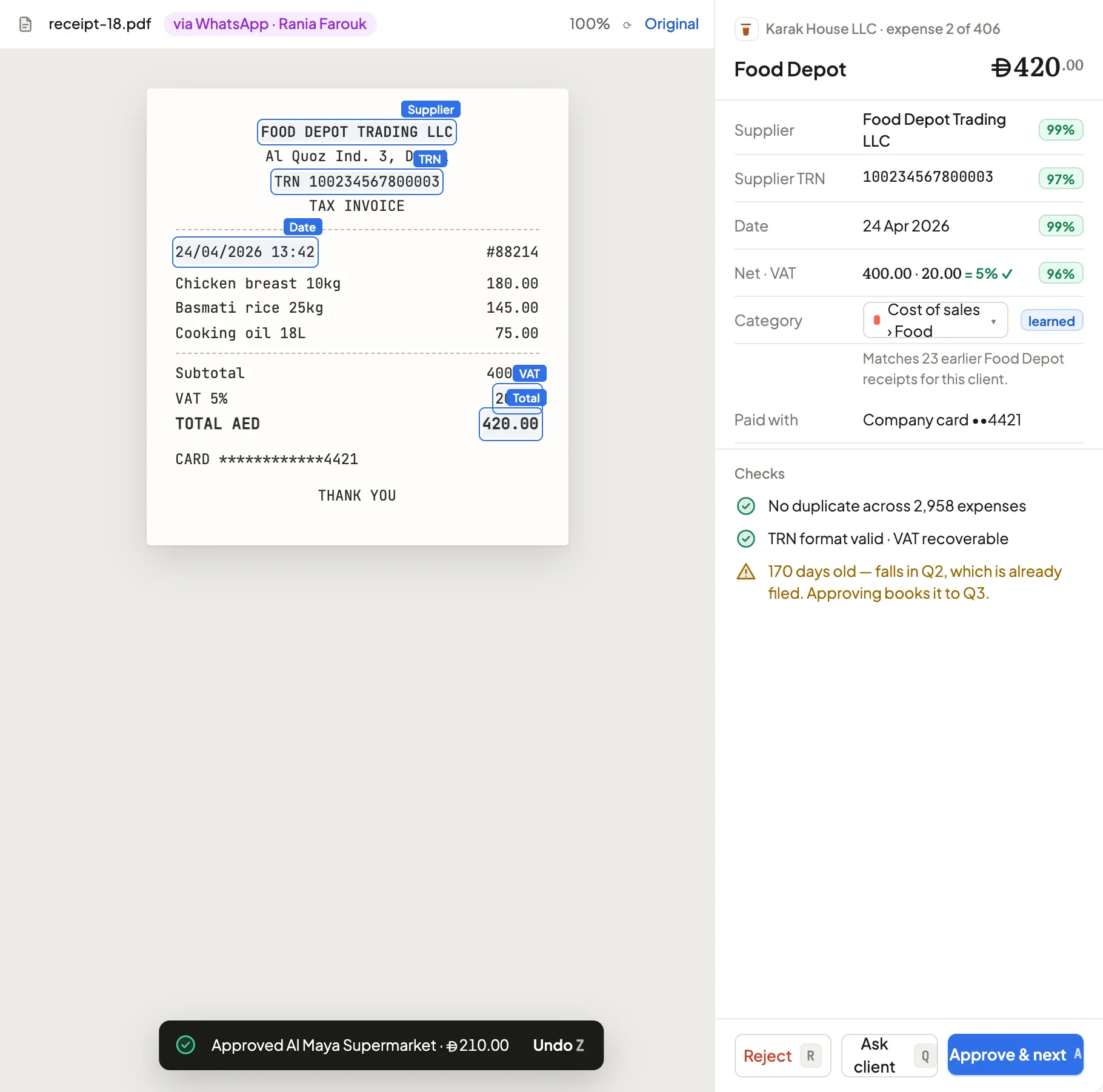
Available now · confidence coming soonEvery receipt checked before it counts.
- The source beside the entry, with how it arrived.
- Confidence per field, supplier memory and duplicate checks.
- A warning before you book into a filed period.
AApproveQAsk clientRRejectZUndo · coming soon
Client workspace
Coming soonOne page per client — close, cash, VAT, profit.
- Whose move on this client, and how far the close has got.
- VAT box drill-down shows the entries behind each figure.
- Eleven sections in the sidebar and as tabs.
⌘JSwitch client
Month-end close
Coming soonEvery client’s close on one grid.
- Six steps per client, the manager and the next action.
- Blocked on clients kept apart from your own backlog.
- Six months of lock history per client.
Deadlines
Coming soonEvery client’s deadlines on one calendar.
- VAT, Corporate Tax, licences, IDs and passports together.
- A 30-day agenda with whose move.
- Add to calendar for the whole team.
G DDeadlines
Activity
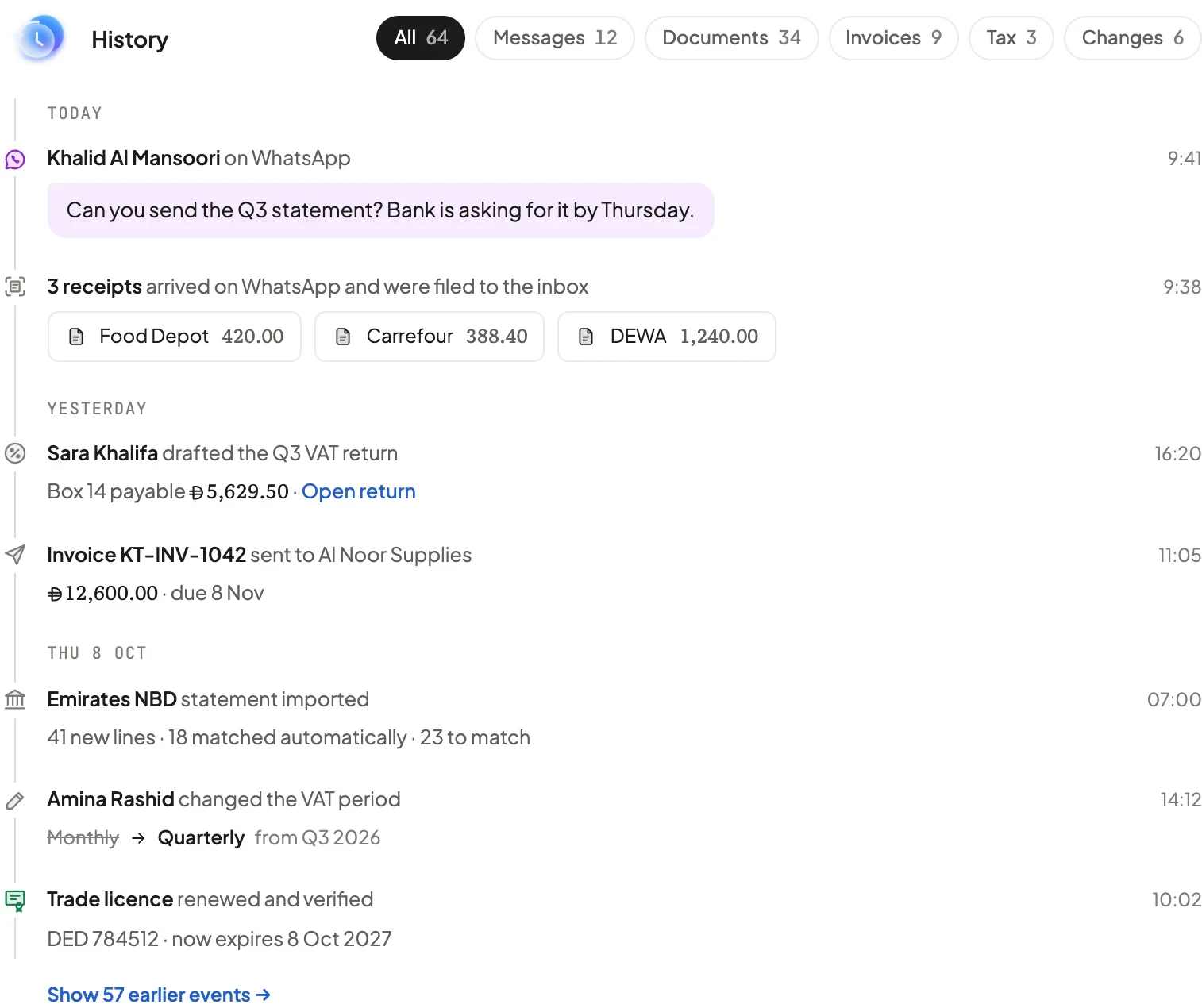
Coming soonEach WhatsApp message beside the record it created.
- A day-by-day timeline of messages, documents and changes.
- Who did what, staff or client.
- Registration, tax and people alongside.
Search & switcher
Available now · operators coming soonFind anything. Do anything.
- ⌘K searches clients, documents and actions in one box.
- Operators like client:, amount:> and due:<.
- ⌘J switches client from inside any client.
⌘KSearch⌘JSwitch?All shortcuts
Appearance
Your firm’s colours, everywhere clients look.
Pick a background for your team’s app, your client portal and your sign-in page — or derive one from your brand colours. Status colours and figures never change.
Coming soon
Also in the platform
The rest of a working practice.
 Double-entry ledgerJournals, chart of accounts, bank reconciliation and statements.Available now
 Invoices & credit notesVAT-aware invoices, frozen as issued, with credit notes and overdue reminders.Available now
 VAT & Corporate TaxReturns computed from posted journals, with working papers and filed-period locks.Available now
 Documents & expiriesLicences and IDs filed by type, with expiry dates.Available now
 Onboarding checklistNew clients tracked step by step — done, waiting on them, or on you.Coming soon
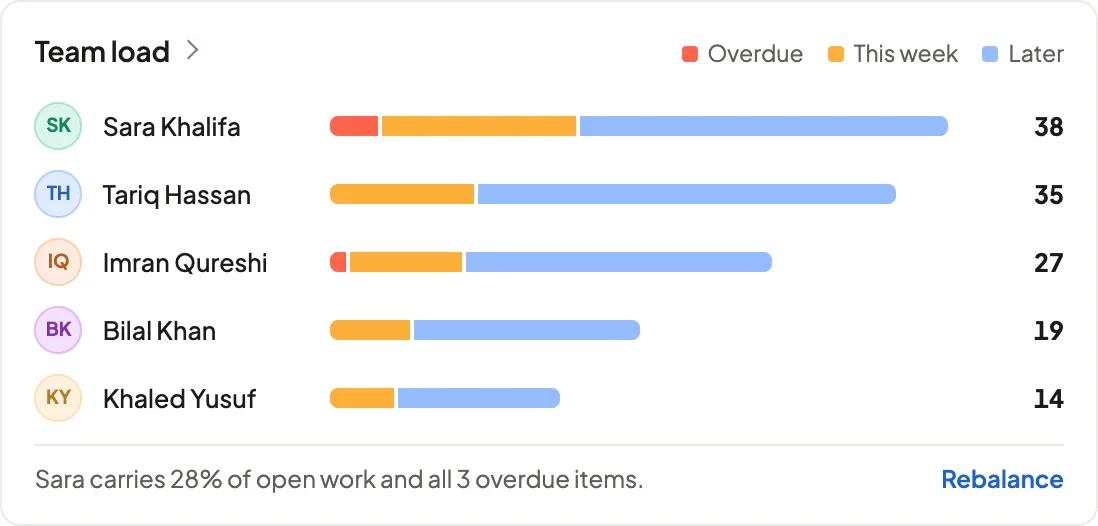
 Team loadWho carries what, and what’s overdue, across the team.Coming soon
Walk through the platform with us.
A walkthrough of the inbox and review screens, a preview of the screens marked Coming soon, and time for your questions.