
One ledger. Two doors. Zero shoeboxes.
Businesses send. Accountants work. Everyone sees the same numbers. Here’s how PocketLedger fits together — and what each side gets out of it.
How the pieces connect
Hover, tap or tab to a step to trace where it comes from and where it goes.
WhatsApp messages and portal uploads flow into the inbox, then review, then the double-entry ledger. Bank statements reconcile into the ledger. The ledger feeds reports and returns, the client dashboard and deadlines. Documents are filed with their expiry dates.
- WhatsApp to Inbox
- Portal uploads to Inbox
- Inbox to Review
- Inbox to Documents
- Bank statements to Ledger
- Review to Ledger
- Ledger to Reports & returns
- Ledger to Client dashboard
- Documents to Deadlines
- Ledger to Deadlines
Every detail has a home.
The whole screen, so you know where to look — and the part that matters, lifted out at full size.
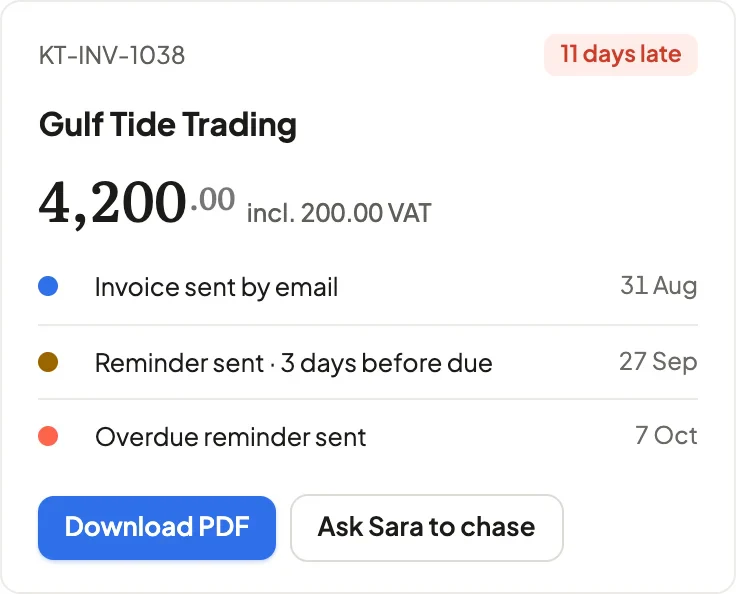
The late one finds you.
An invoice that slips past due is flagged in the list and on the invoice itself, with every reminder already sent.
Available now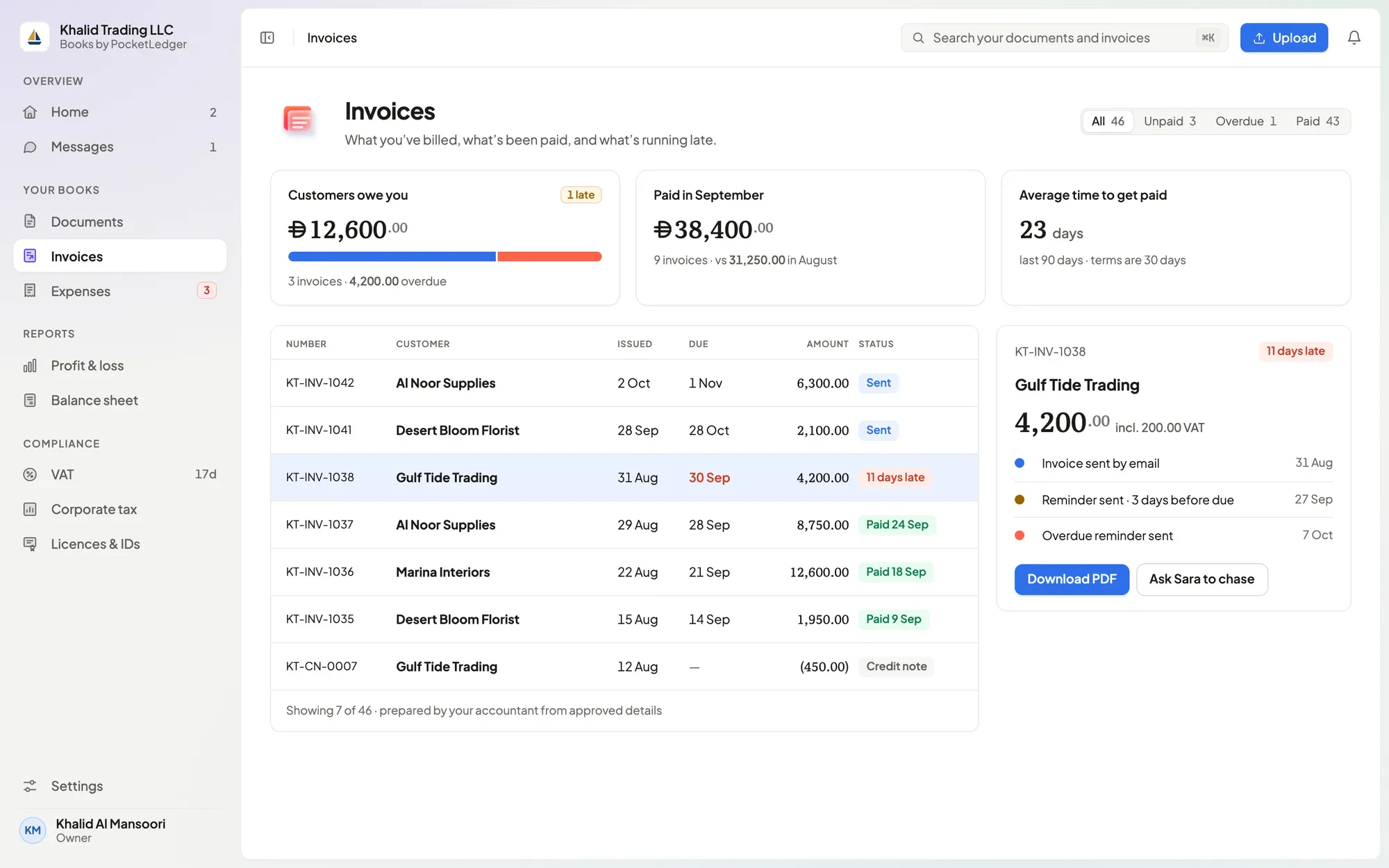
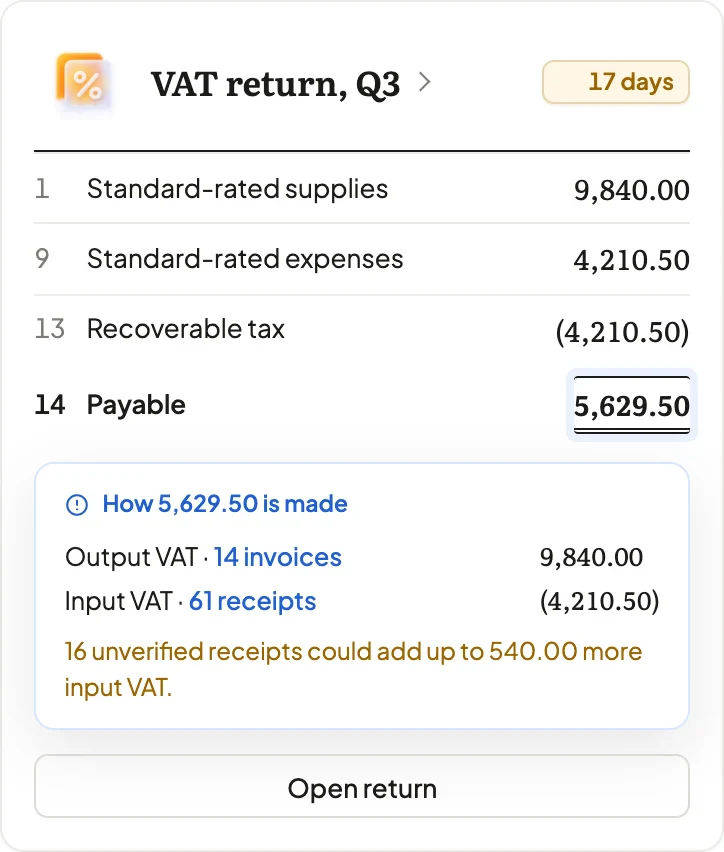
Box 14, with its working.
Each client’s VAT draft sits on their workspace, computed from posted journals — with the calculation one click away.
Coming soon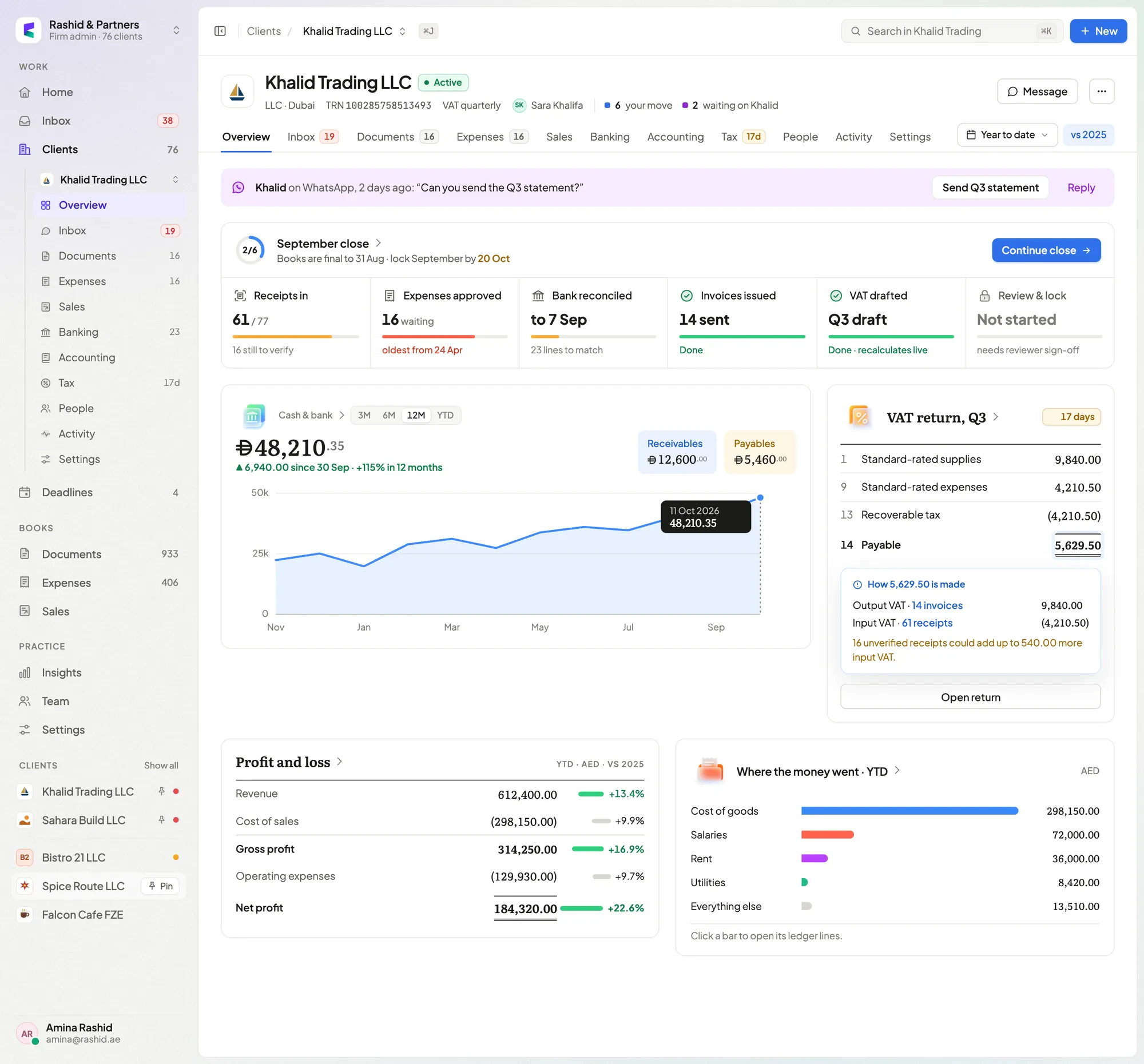
What you see.
A dashboard that answers the questions you’d otherwise have to ask — and asks you very few back.
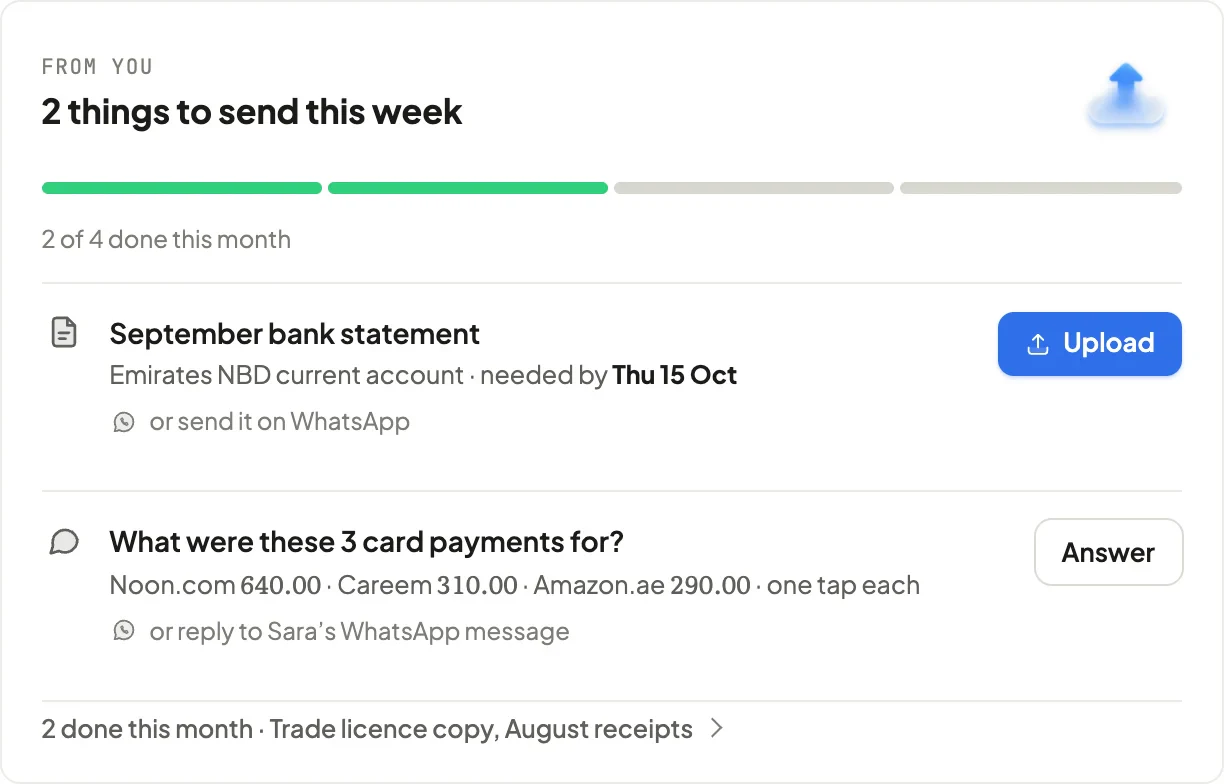 Requests, answered in one tapWhat we need from you, with the answers already written.Coming soon
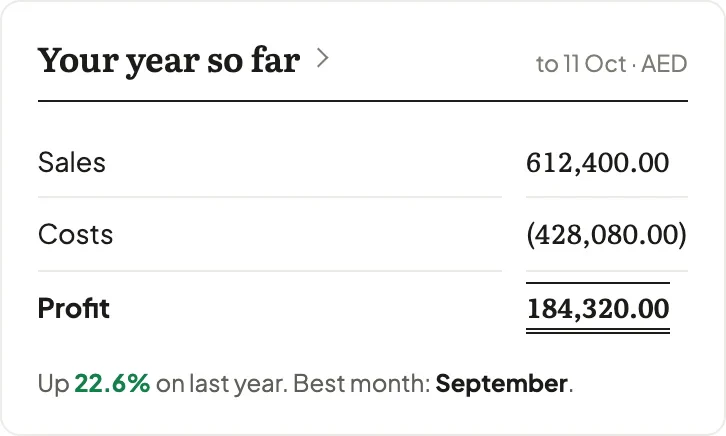 Profit for the yearSales, costs and profit, kept current every month.Available now
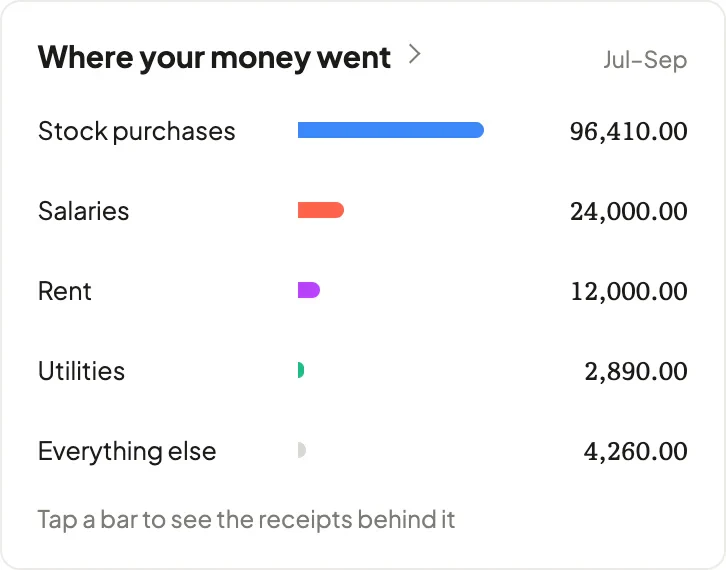 Where your money wentSpending by category — tap through to the receipts.Coming soon
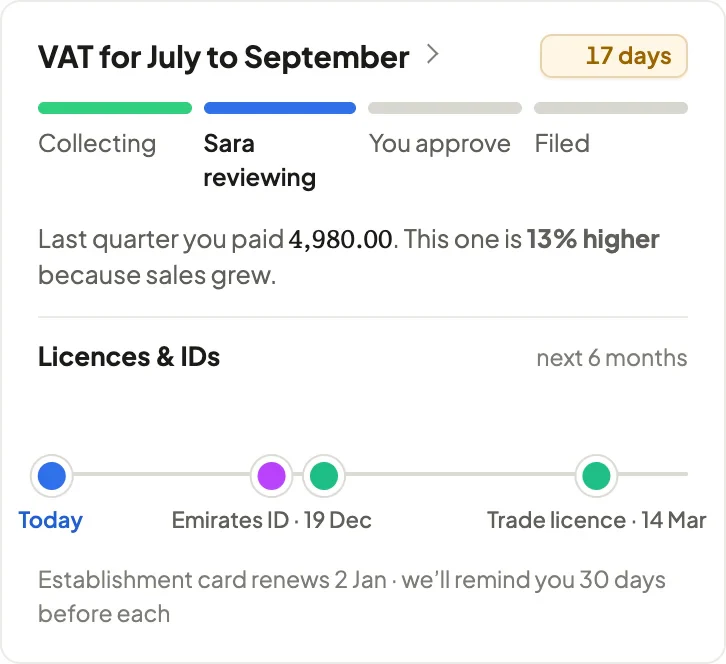 VAT, explainedWhat you’ll pay this quarter, and why it changed.Coming soon
- Invoices & remindersWhat’s owed, what’s late and the reminders already sent.Available now
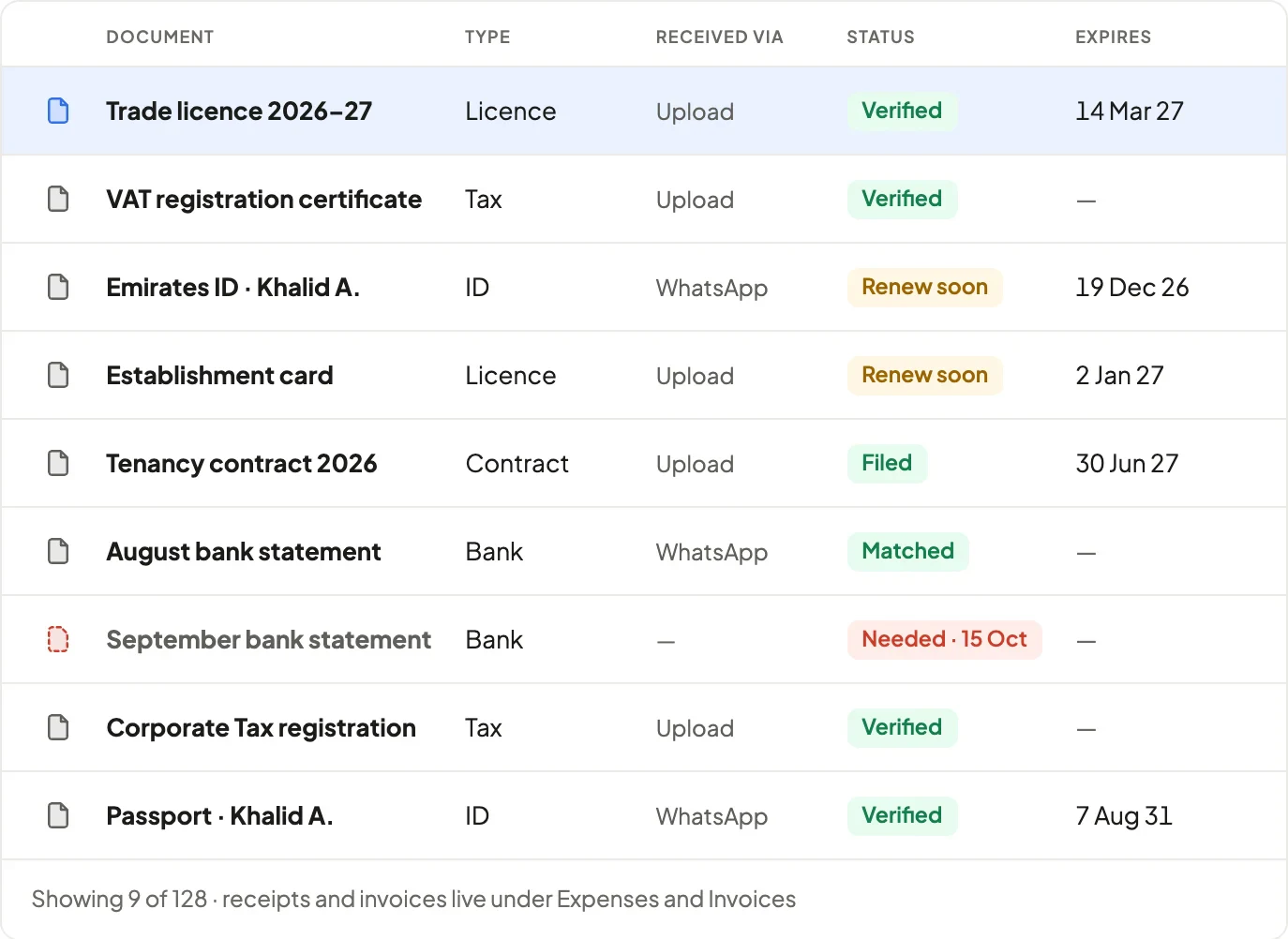 Documents & expiriesEvery document filed by type, with renewal dates.Available now
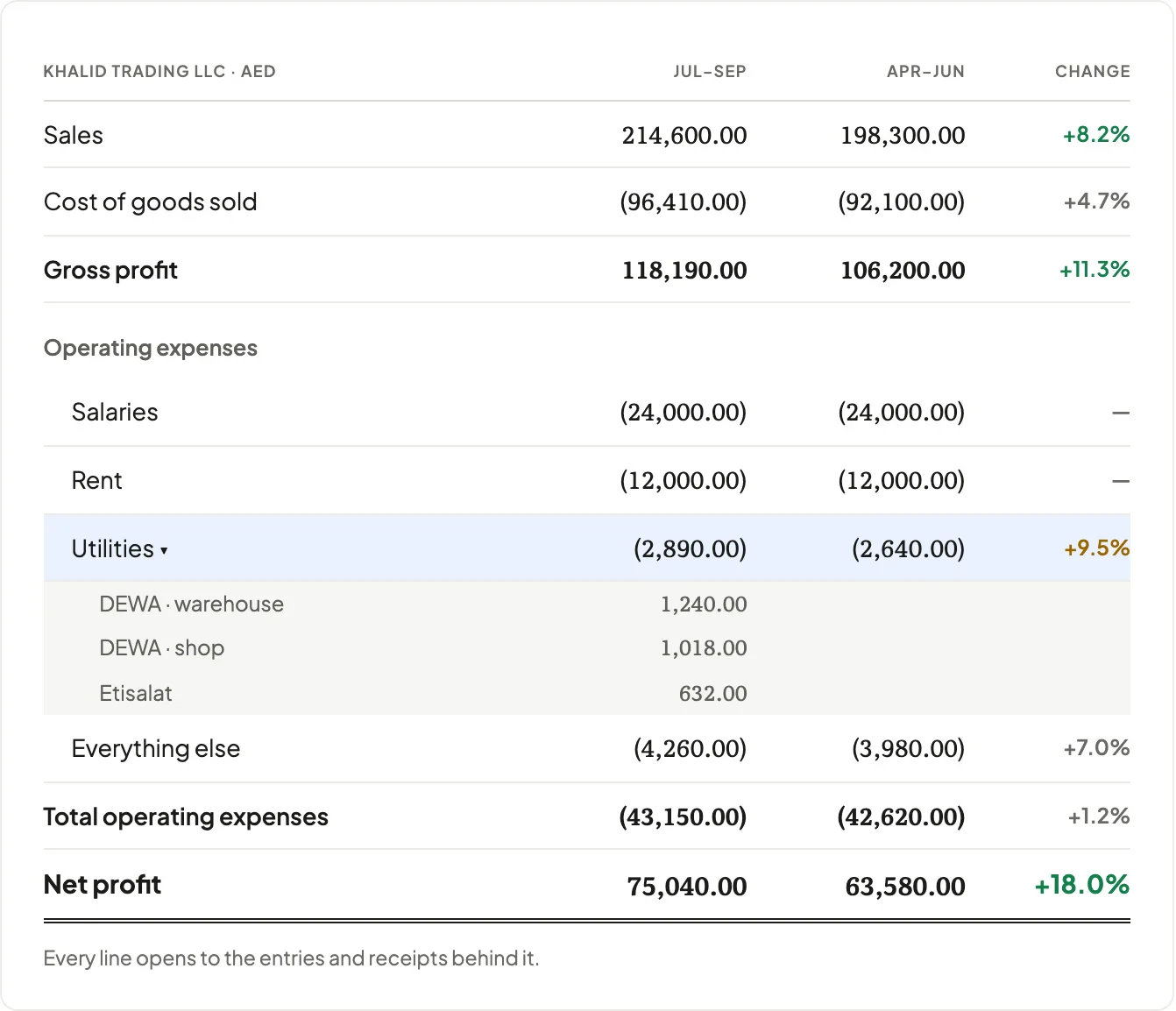 ReportsProfit & loss quarter on quarter, line by line.Available now
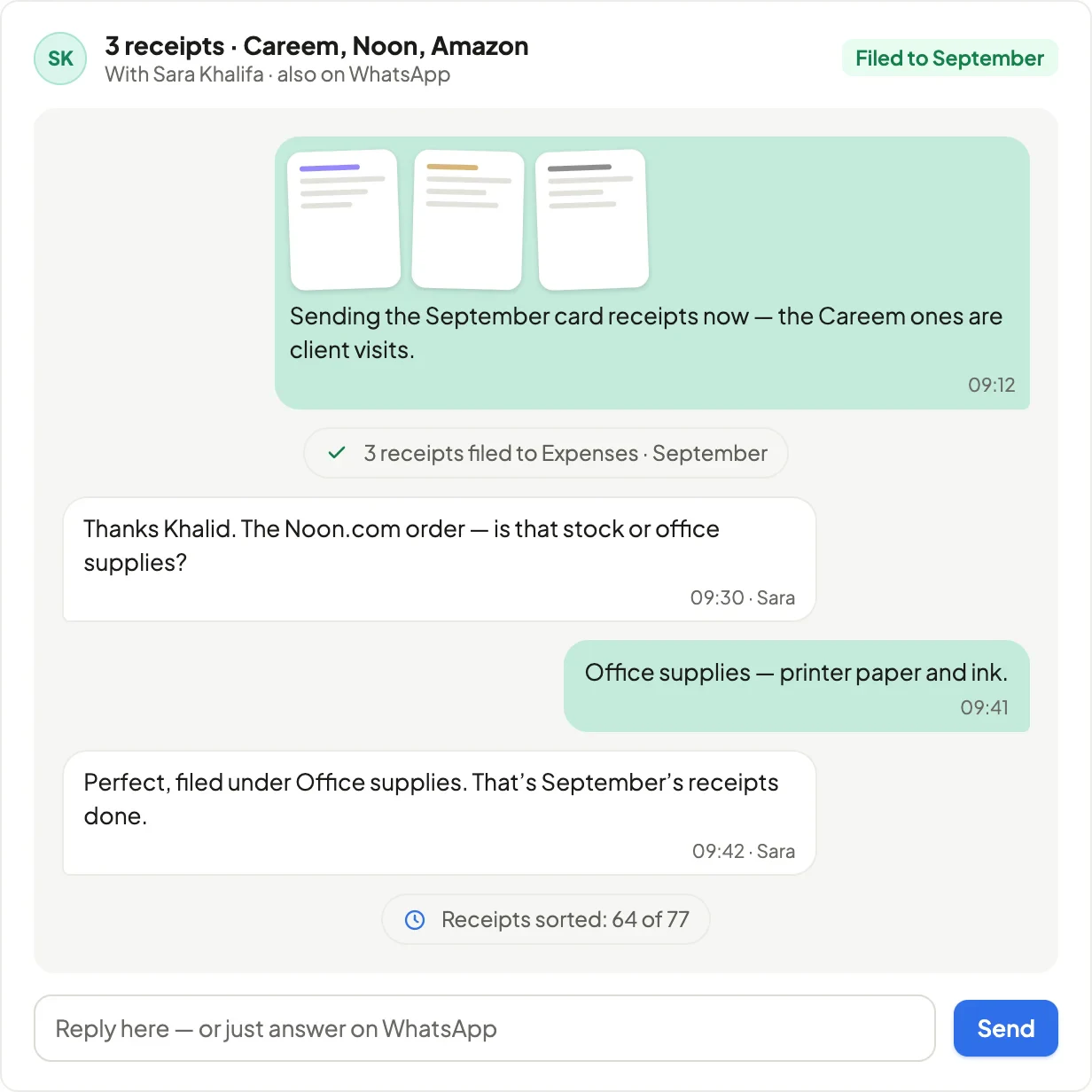 MessagesOne thread with your accountant; attachments filed.Available now
What your team works in.
The same ledger, seen from the practice: every client, every deadline, every open question.
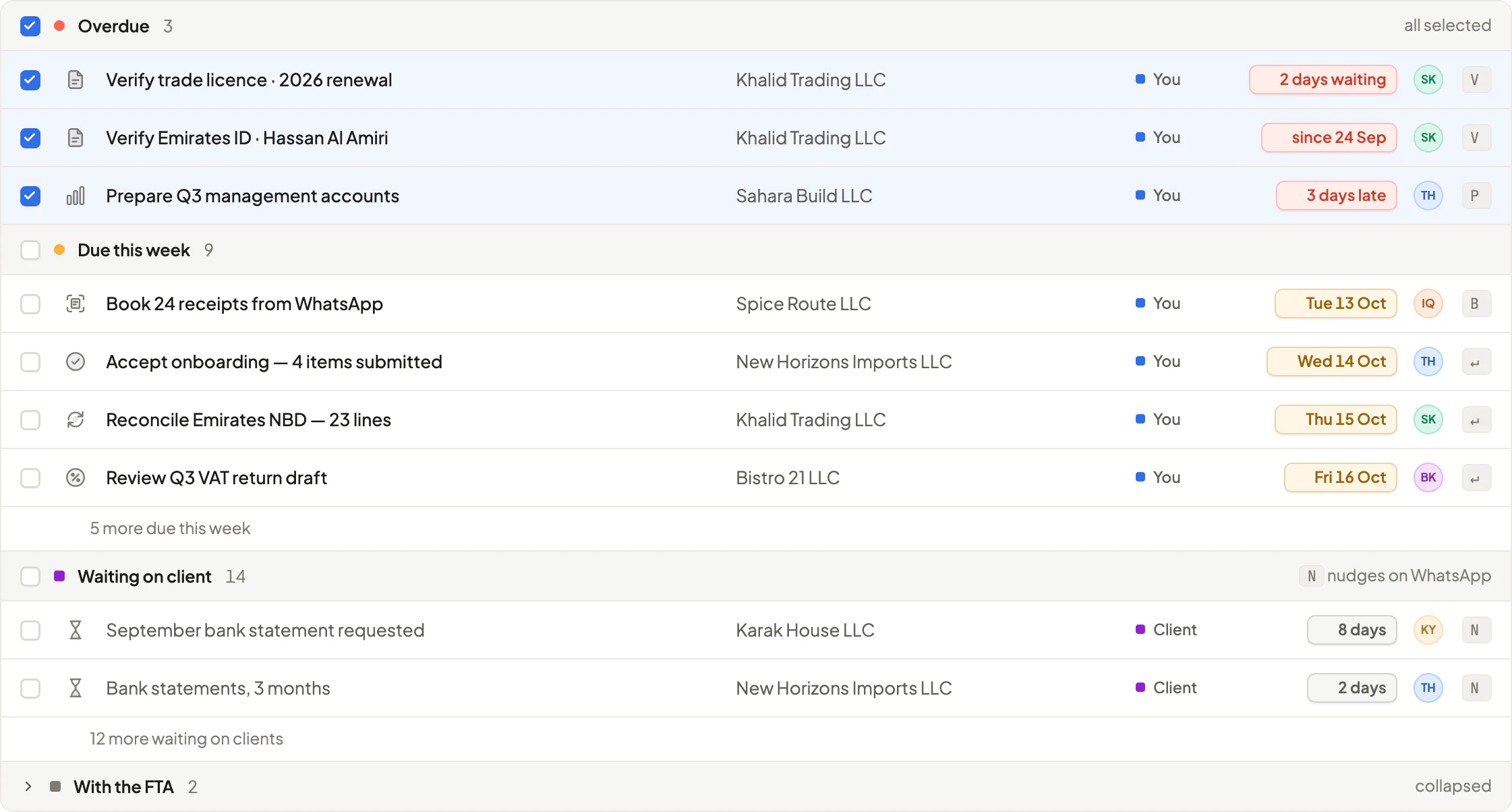 InboxOne queue across clients; bulk mark done, assign, nudge.Available now · grouping coming soon
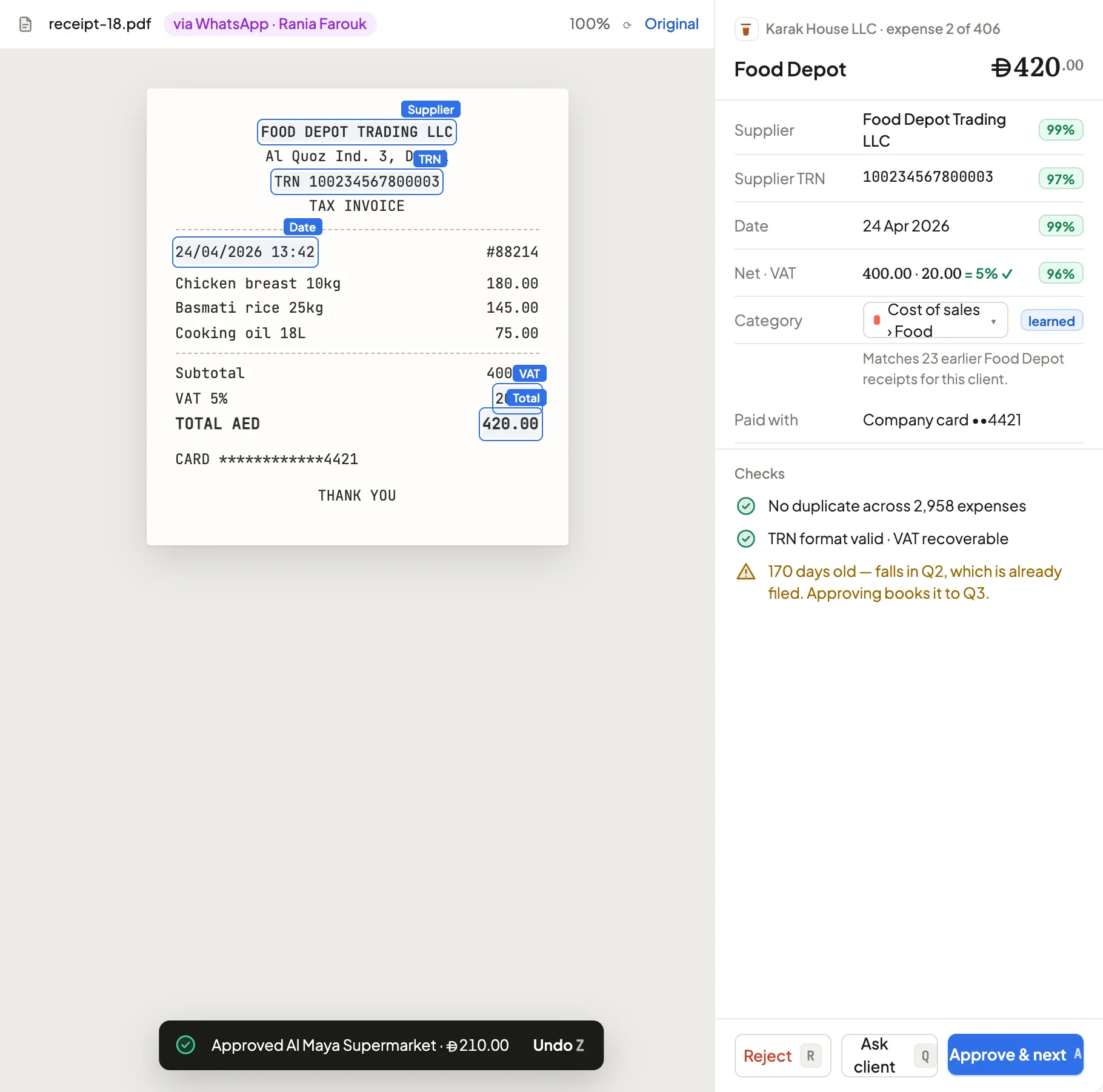 Review workspaceThe receipt beside the entry; approve or recode.Available now · confidence coming soon
 Client workspaceClose, cash, the VAT draft and profit on one page.Coming soon
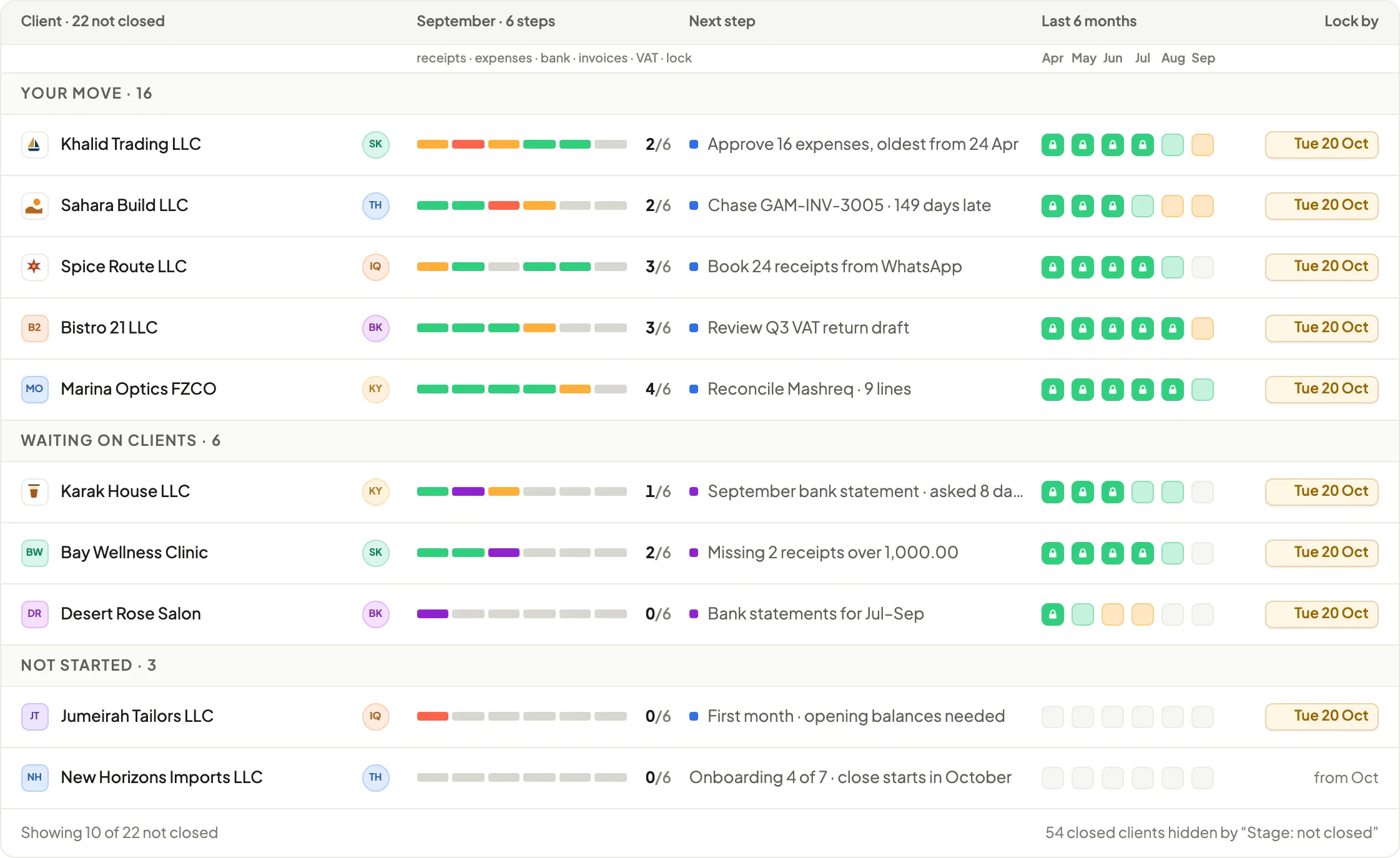 Month-end close gridSix steps per client, with locks beside them.Coming soon
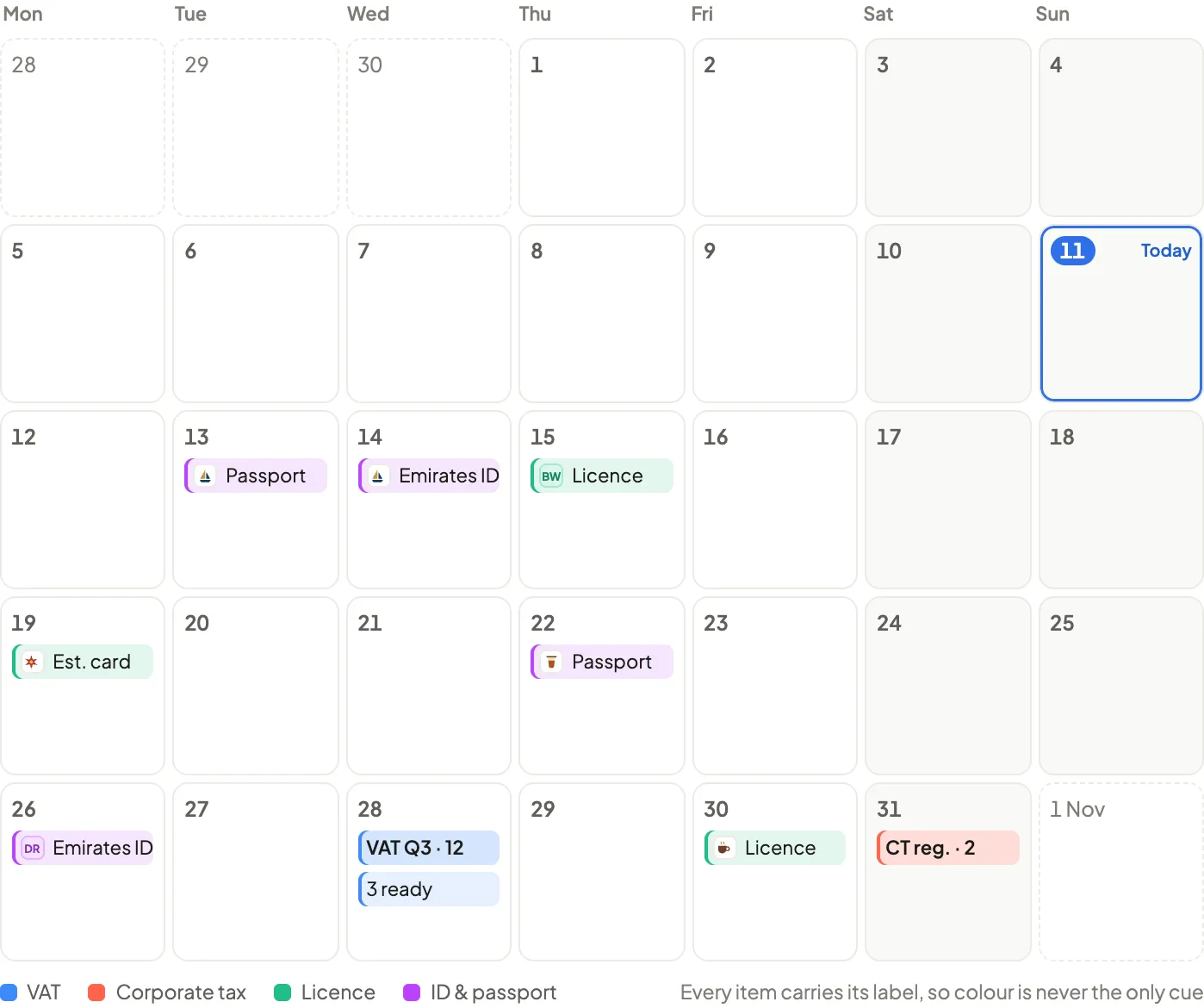 Deadlines calendarEvery client’s dates, with crunch weeks visible.Coming soon
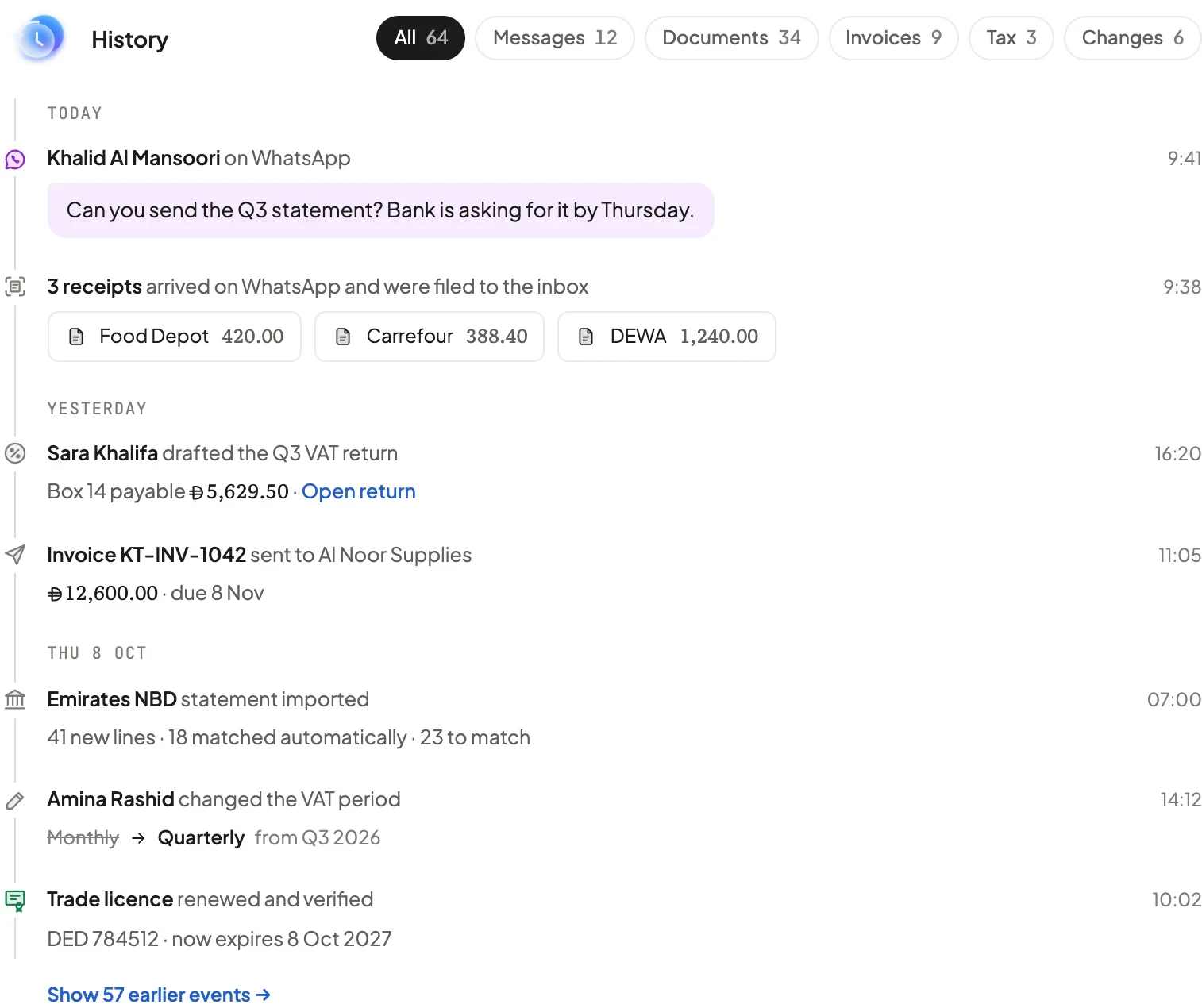 ActivityEach WhatsApp message beside the record it created.Coming soon
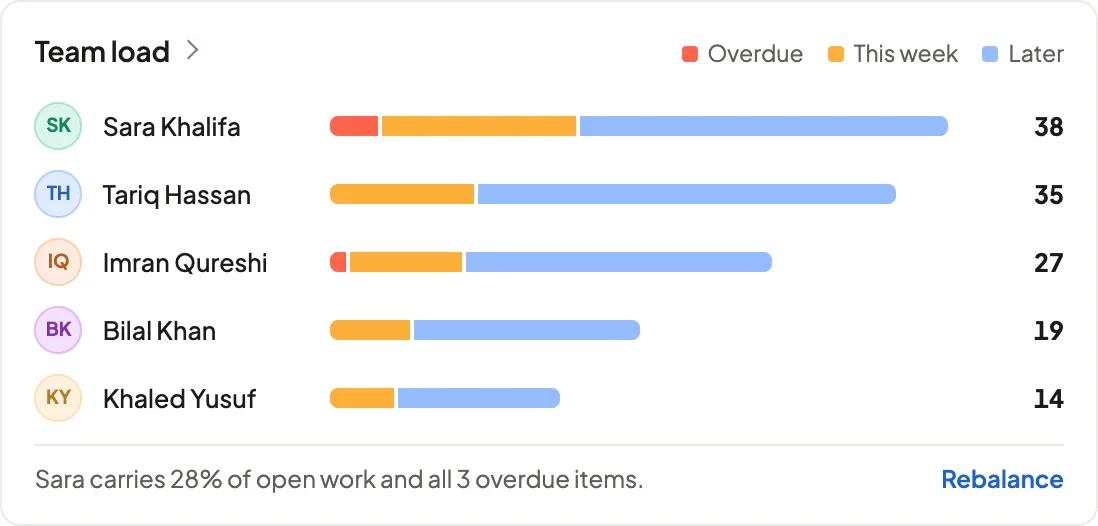 Team loadWho’s carrying what — overdue, this week, later.Coming soon
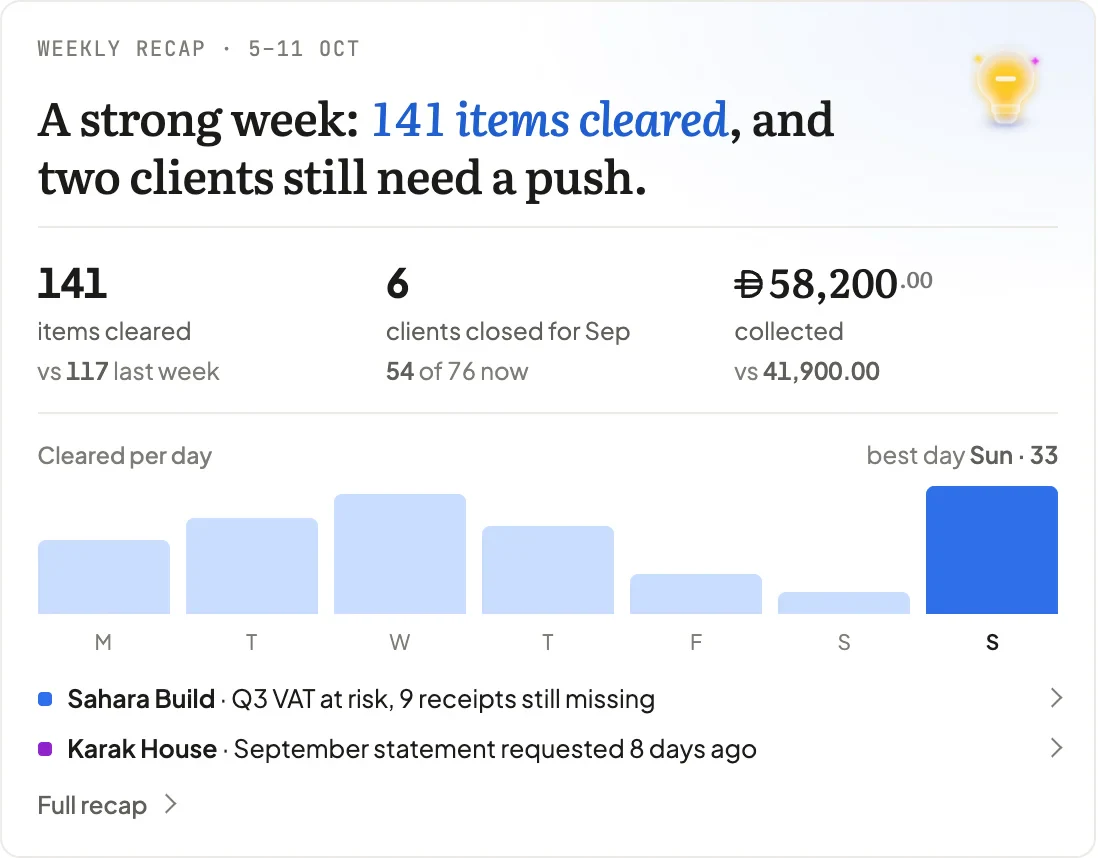 Weekly recapWhat was cleared, and what still needs a push.Coming soon
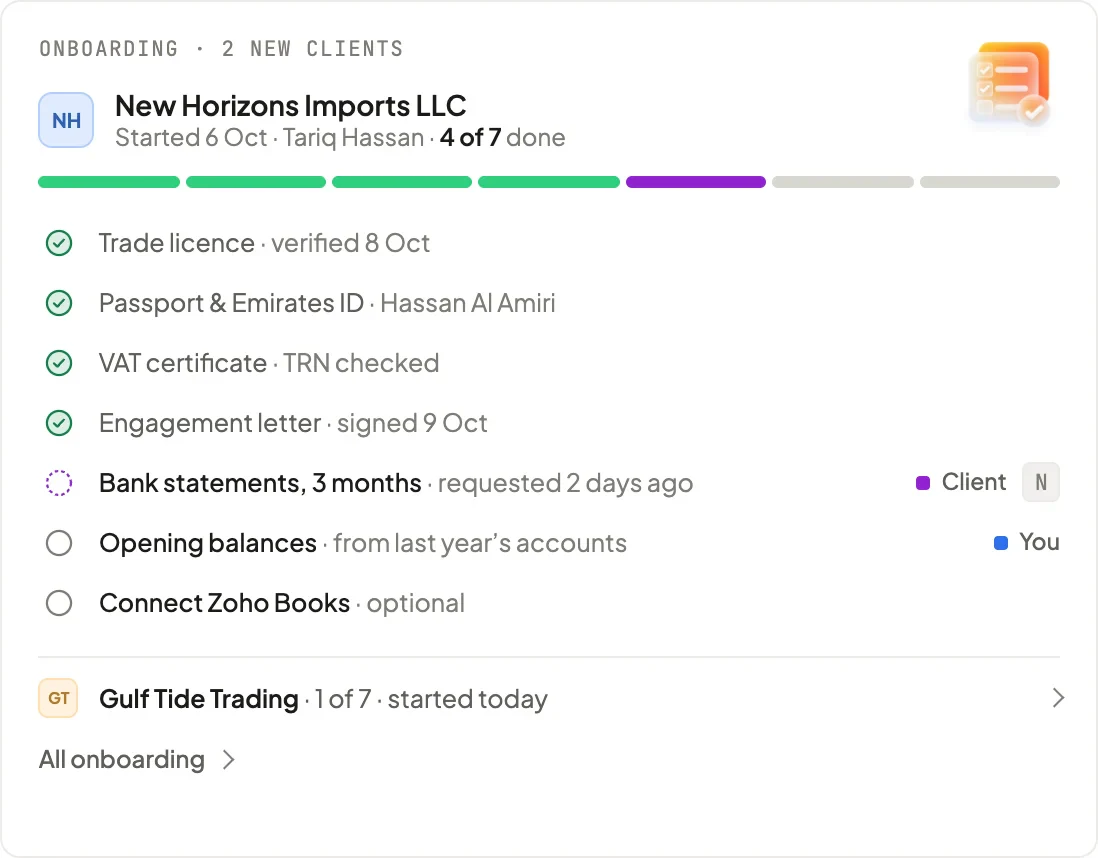 OnboardingNew clients moving through a checklist.Coming soon
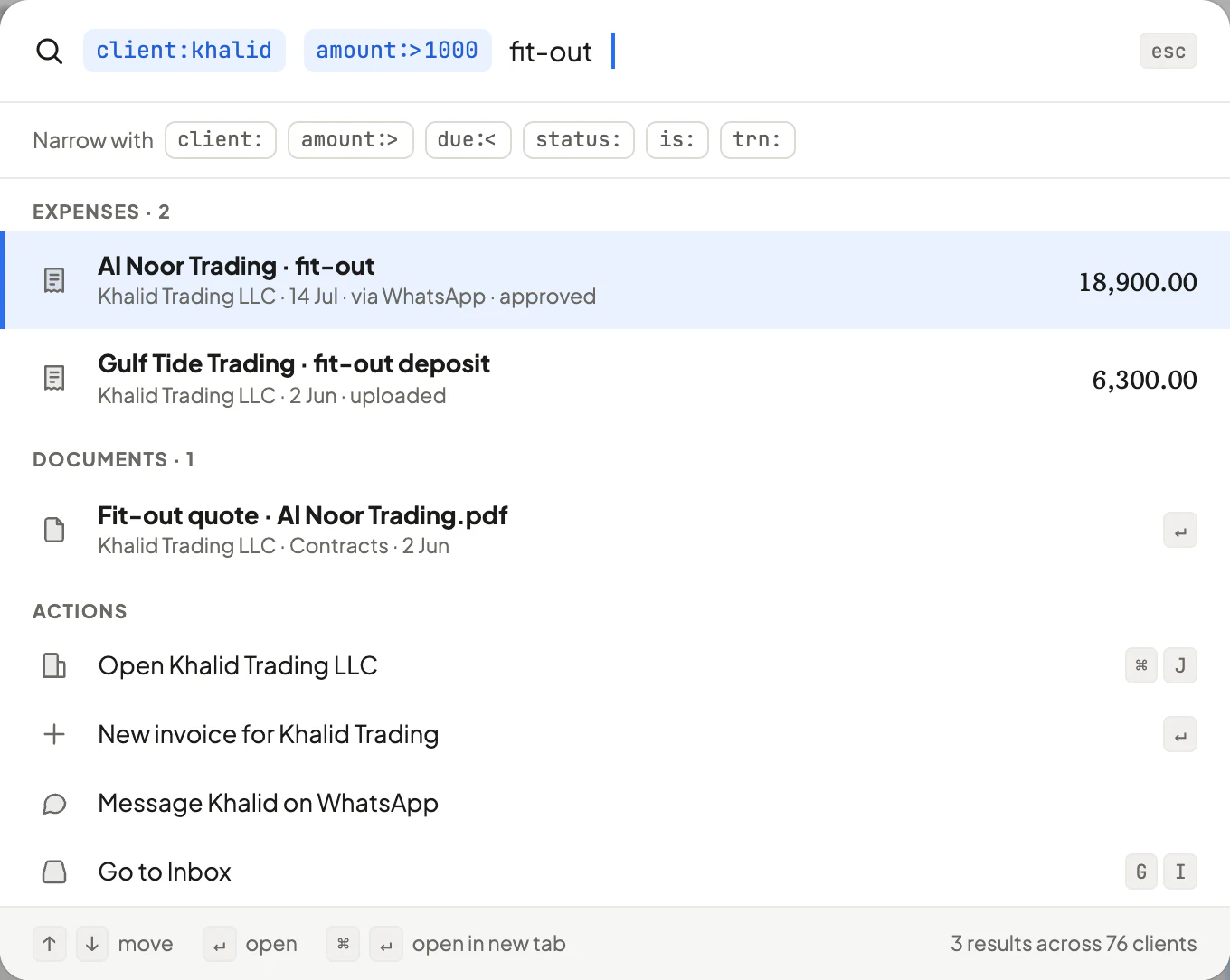 ⌘K search & ⌘J switcherFind anything, run any action, jump between clients.Available now · operators coming soon
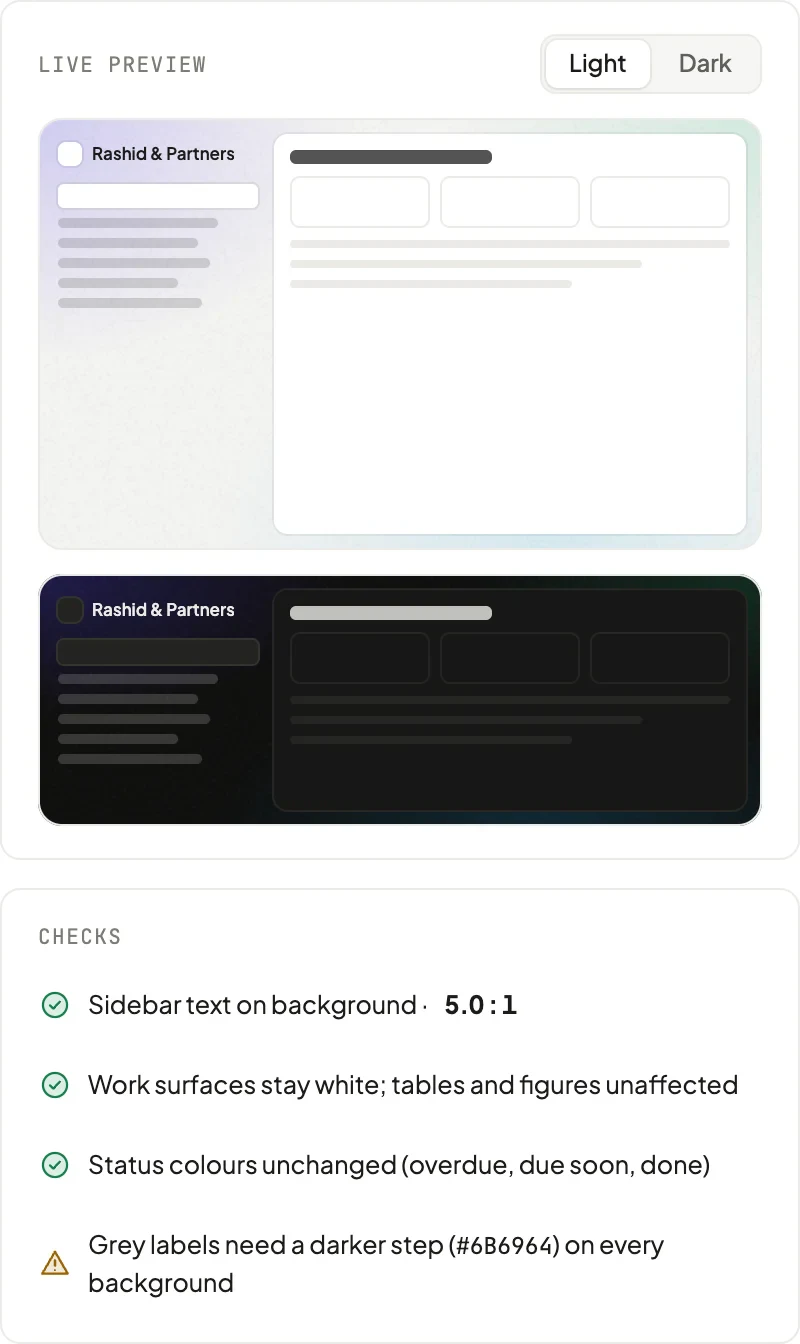 Portal appearanceYour logo and a background clients will recognise.Coming soon
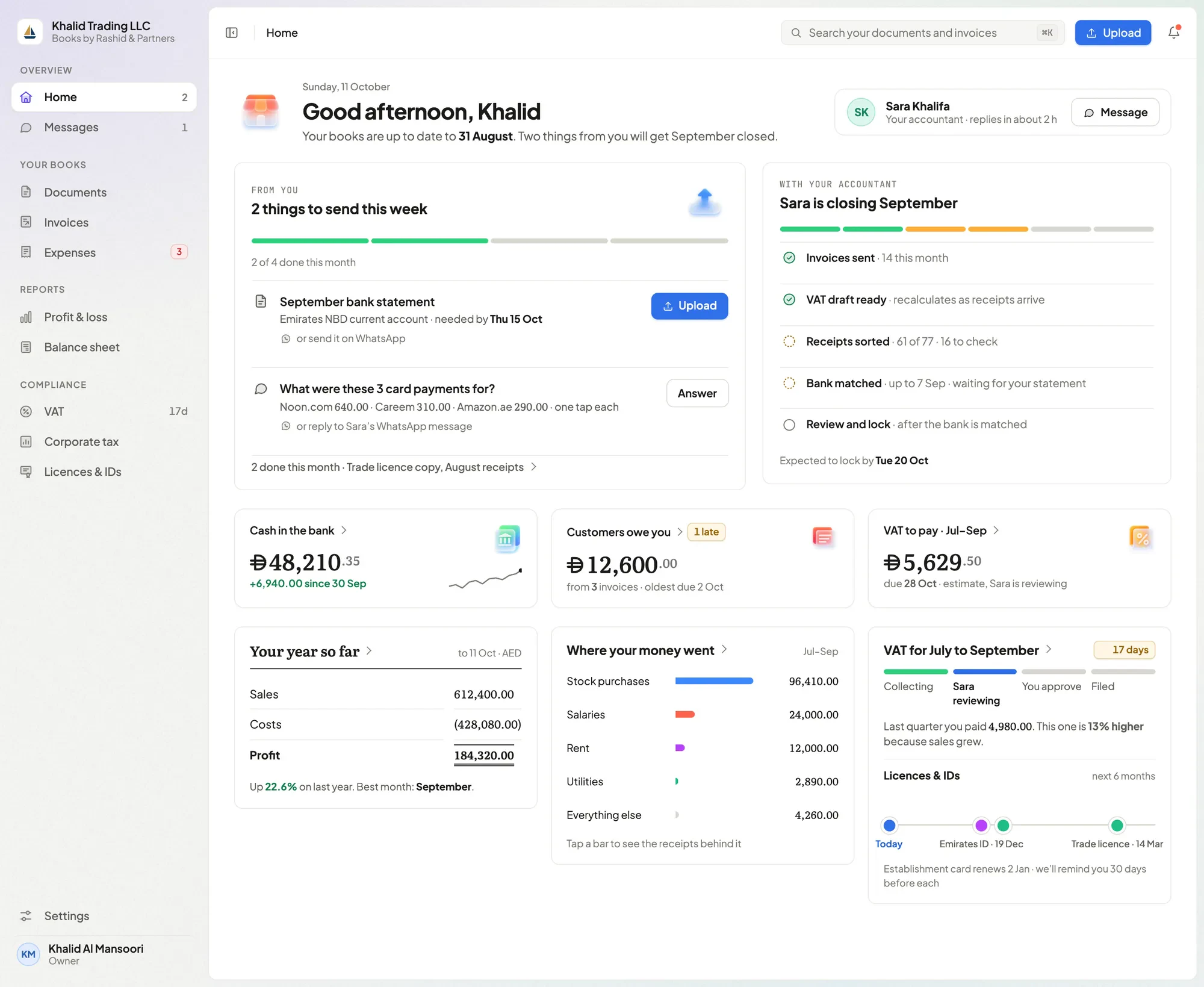 Client portalRequests, documents and reports under your name.Available now
Boring where it counts.
The parts you shouldn’t have to think about, done properly.
- Double-entry
- Every post balances. Journals, a chart of accounts and statements underneath everything.
- Exact money
- Amounts are stored as exact decimals — no floating-point rounding, ever.
- Frozen invoices
- An issued invoice is kept exactly as it was sent.
- Locked periods
- Filed VAT periods lock, so the numbers you submitted stay put.
- Firm boundaries
- Every record belongs to one firm; accountants see the clients assigned to them.
- Roles
- Firm admin, accountant, reviewer, bookkeeper and auditor — each sees what the role allows.
- Exports
- Ledgers, documents and reports export whenever you or your client needs them.
- UAE-native
- Priced in AED, with UAE VAT and Corporate Tax built into the ledger.